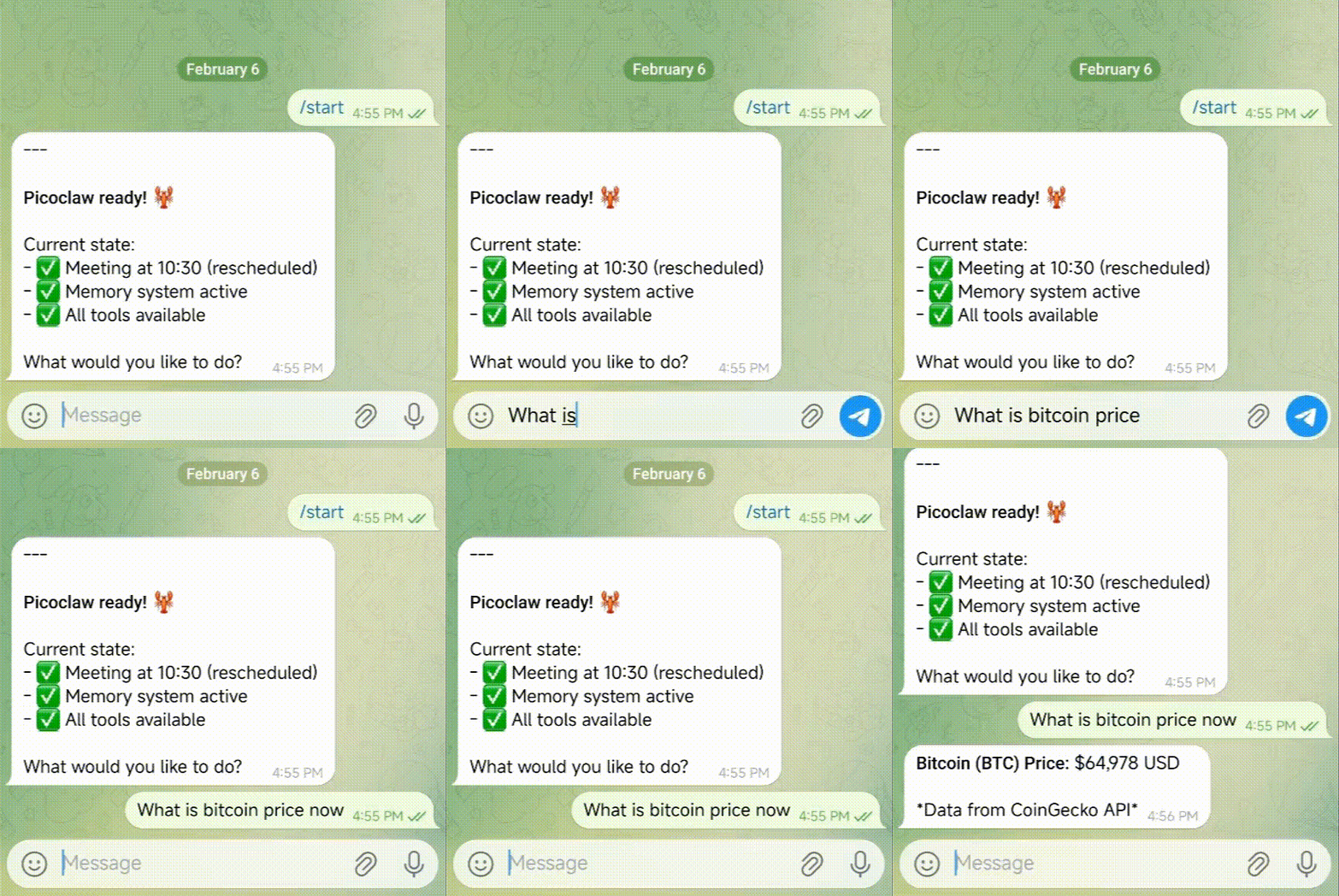
PicoClaw: Ultra-Efficient AI Assistant in Go
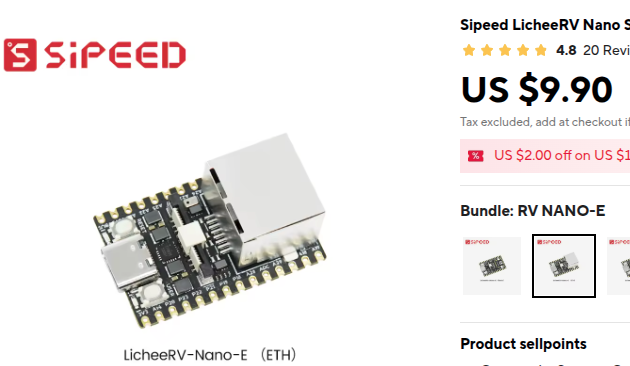
$10 Hardware · 10MB RAM · 1s Boot · 皮皮虾,我们走!




-SipeedIO-black?style=flat&logo=x&logoColor=white)
|
|
|
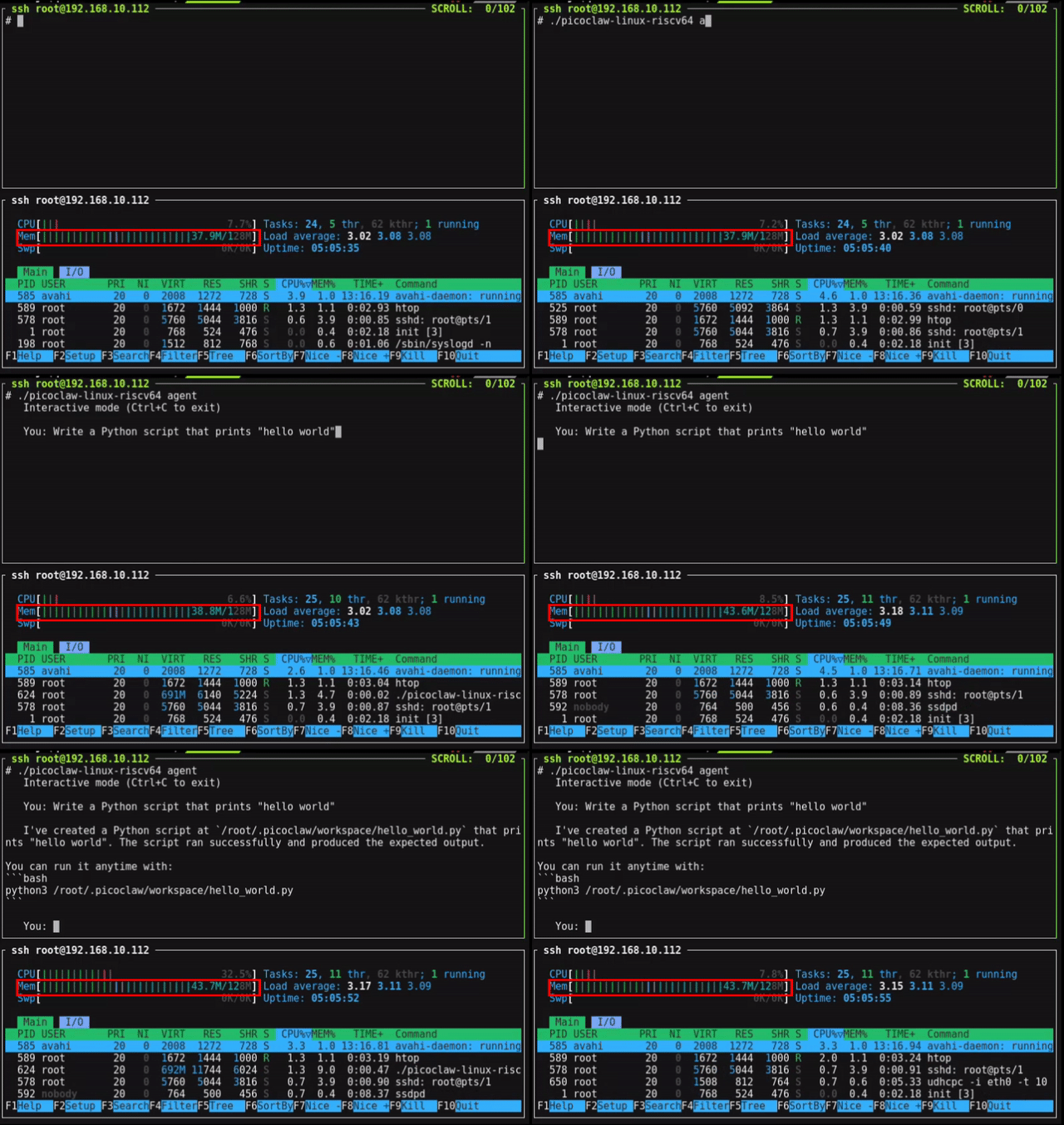
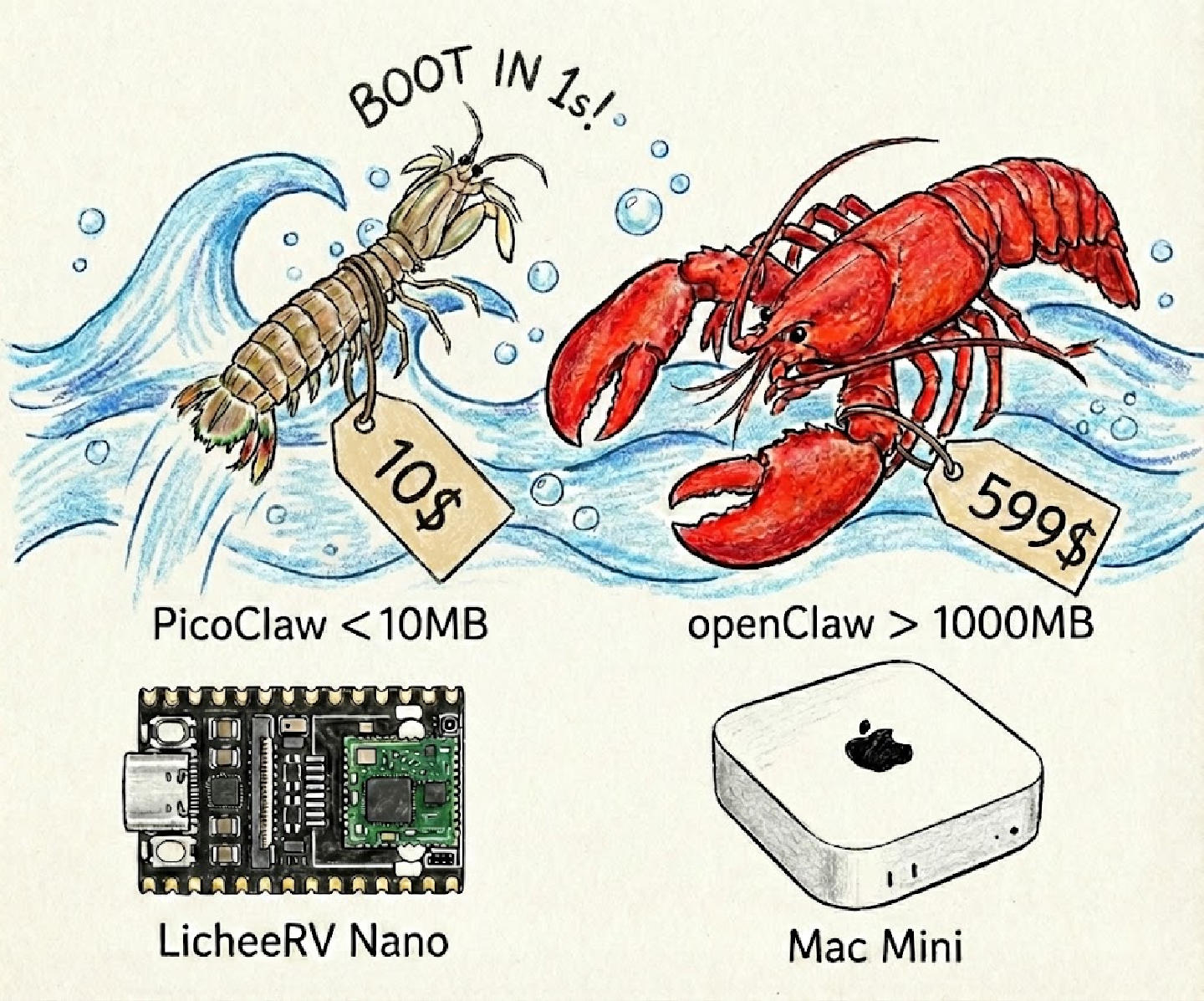 ## 🦾 Demonstration
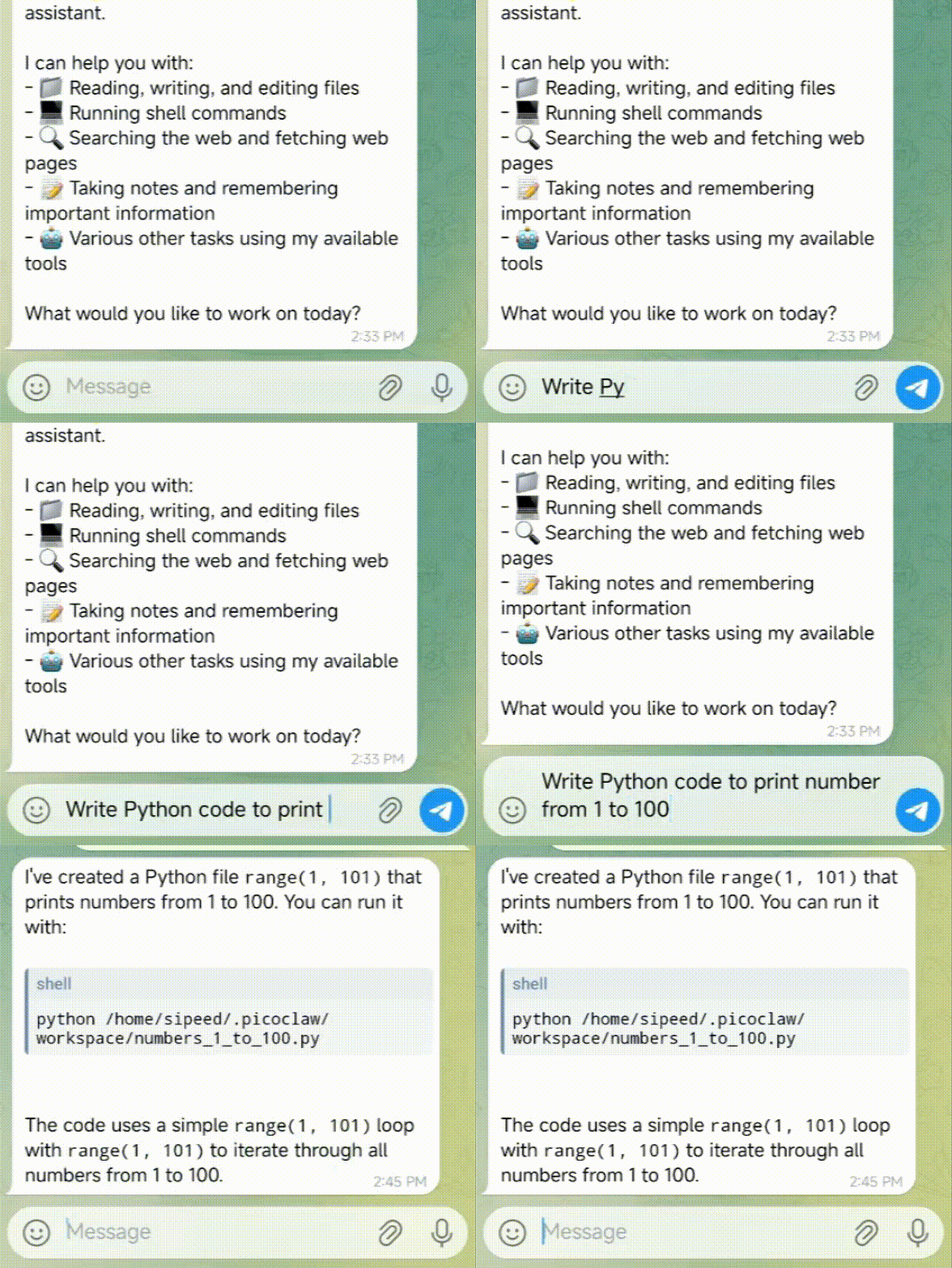
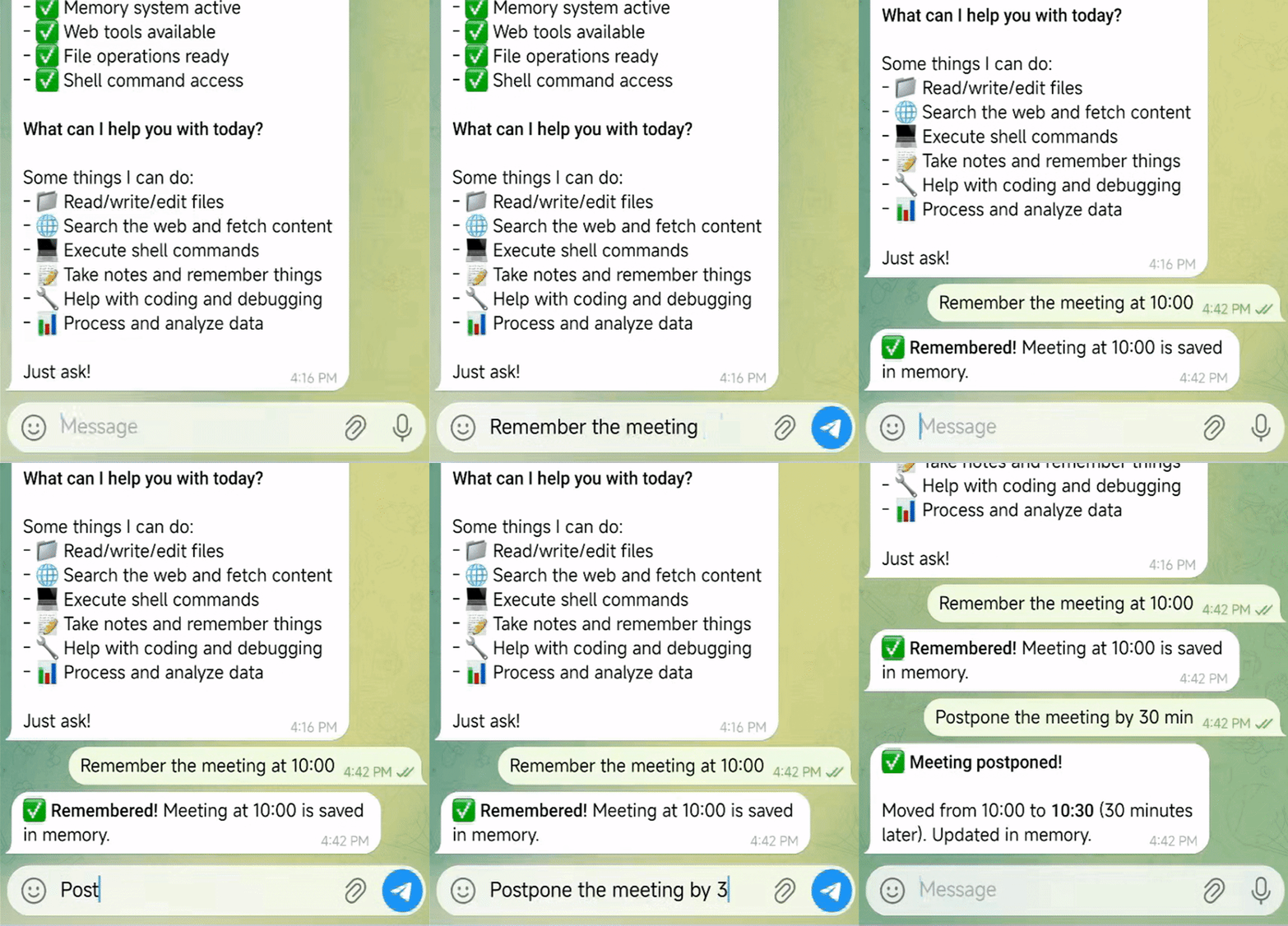
### 🛠️ Standard Assistant Workflows
## 🦾 Demonstration
### 🛠️ Standard Assistant Workflows
🧩 Full-Stack Engineer |
🗂️ Logging & Planning Management |
🔎 Web Search & Learning |
|---|---|---|
|
|
|
| Develop • Deploy • Scale | Schedule • Automate • Memory | Discovery • Insights • Trends |
 Join the Agent Social Network
Connect Picoclaw to the Agent Social Network simply by sending a single message via the CLI or any integrated Chat App.
**Read `https://clawdchat.ai/skill.md` and follow the instructions to join [ClawdChat.ai](https://clawdchat.ai)**
## ⚙️ Configuration
Config file: `~/.picoclaw/config.json`
### Workspace Layout
PicoClaw stores data in your configured workspace (default: `~/.picoclaw/workspace`):
```
~/.picoclaw/workspace/
├── sessions/ # Conversation sessions and history
├── memory/ # Long-term memory (MEMORY.md)
├── state/ # Persistent state (last channel, etc.)
├── cron/ # Scheduled jobs database
├── skills/ # Custom skills
├── AGENTS.md # Agent behavior guide
├── HEARTBEAT.md # Periodic task prompts (checked every 30 min)
├── IDENTITY.md # Agent identity
├── SOUL.md # Agent soul
├── TOOLS.md # Tool descriptions
└── USER.md # User preferences
```
### 🔒 Security Sandbox
PicoClaw runs in a sandboxed environment by default. The agent can only access files and execute commands within the configured workspace.
#### Default Configuration
```json
{
"agents": {
"defaults": {
"workspace": "~/.picoclaw/workspace",
"restrict_to_workspace": true
}
}
}
```
| Option | Default | Description |
|--------|---------|-------------|
| `workspace` | `~/.picoclaw/workspace` | Working directory for the agent |
| `restrict_to_workspace` | `true` | Restrict file/command access to workspace |
#### Protected Tools
When `restrict_to_workspace: true`, the following tools are sandboxed:
| Tool | Function | Restriction |
|------|----------|-------------|
| `read_file` | Read files | Only files within workspace |
| `write_file` | Write files | Only files within workspace |
| `list_dir` | List directories | Only directories within workspace |
| `edit_file` | Edit files | Only files within workspace |
| `append_file` | Append to files | Only files within workspace |
| `exec` | Execute commands | Command paths must be within workspace |
#### Additional Exec Protection
Even with `restrict_to_workspace: false`, the `exec` tool blocks these dangerous commands:
- `rm -rf`, `del /f`, `rmdir /s` — Bulk deletion
- `format`, `mkfs`, `diskpart` — Disk formatting
- `dd if=` — Disk imaging
- Writing to `/dev/sd[a-z]` — Direct disk writes
- `shutdown`, `reboot`, `poweroff` — System shutdown
- Fork bomb `:(){ :|:& };:`
#### Error Examples
```
[ERROR] tool: Tool execution failed
{tool=exec, error=Command blocked by safety guard (path outside working dir)}
```
```
[ERROR] tool: Tool execution failed
{tool=exec, error=Command blocked by safety guard (dangerous pattern detected)}
```
#### Disabling Restrictions (Security Risk)
If you need the agent to access paths outside the workspace:
**Method 1: Config file**
```json
{
"agents": {
"defaults": {
"restrict_to_workspace": false
}
}
}
```
**Method 2: Environment variable**
```bash
export PICOCLAW_AGENTS_DEFAULTS_RESTRICT_TO_WORKSPACE=false
```
> ⚠️ **Warning**: Disabling this restriction allows the agent to access any path on your system. Use with caution in controlled environments only.
#### Security Boundary Consistency
The `restrict_to_workspace` setting applies consistently across all execution paths:
| Execution Path | Security Boundary |
|----------------|-------------------|
| Main Agent | `restrict_to_workspace` ✅ |
| Subagent / Spawn | Inherits same restriction ✅ |
| Heartbeat tasks | Inherits same restriction ✅ |
All paths share the same workspace restriction — there's no way to bypass the security boundary through subagents or scheduled tasks.
### Heartbeat (Periodic Tasks)
PicoClaw can perform periodic tasks automatically. Create a `HEARTBEAT.md` file in your workspace:
```markdown
# Periodic Tasks
- Check my email for important messages
- Review my calendar for upcoming events
- Check the weather forecast
```
The agent will read this file every 30 minutes (configurable) and execute any tasks using available tools.
#### Async Tasks with Spawn
For long-running tasks (web search, API calls), use the `spawn` tool to create a **subagent**:
```markdown
# Periodic Tasks
## Quick Tasks (respond directly)
- Report current time
## Long Tasks (use spawn for async)
- Search the web for AI news and summarize
- Check email and report important messages
```
**Key behaviors:**
| Feature | Description |
|---------|-------------|
| **spawn** | Creates async subagent, doesn't block heartbeat |
| **Independent context** | Subagent has its own context, no session history |
| **message tool** | Subagent communicates with user directly via message tool |
| **Non-blocking** | After spawning, heartbeat continues to next task |
#### How Subagent Communication Works
```
Heartbeat triggers
↓
Agent reads HEARTBEAT.md
↓
For long task: spawn subagent
↓ ↓
Continue to next task Subagent works independently
↓ ↓
All tasks done Subagent uses "message" tool
↓ ↓
Respond HEARTBEAT_OK User receives result directly
```
The subagent has access to tools (message, web_search, etc.) and can communicate with the user independently without going through the main agent.
**Configuration:**
```json
{
"heartbeat": {
"enabled": true,
"interval": 30
}
}
```
| Option | Default | Description |
|--------|---------|-------------|
| `enabled` | `true` | Enable/disable heartbeat |
| `interval` | `30` | Check interval in minutes (min: 5) |
**Environment variables:**
- `PICOCLAW_HEARTBEAT_ENABLED=false` to disable
- `PICOCLAW_HEARTBEAT_INTERVAL=60` to change interval
### Providers
> [!NOTE]
> Groq provides free voice transcription via Whisper. If configured, Telegram voice messages will be automatically transcribed.
| Provider | Purpose | Get API Key |
| -------------------------- | --------------------------------------- | ------------------------------------------------------ |
| `gemini` | LLM (Gemini direct) | [aistudio.google.com](https://aistudio.google.com) |
| `zhipu` | LLM (Zhipu direct) | [bigmodel.cn](bigmodel.cn) |
| `openrouter(To be tested)` | LLM (recommended, access to all models) | [openrouter.ai](https://openrouter.ai) |
| `anthropic(To be tested)` | LLM (Claude direct) | [console.anthropic.com](https://console.anthropic.com) |
| `openai(To be tested)` | LLM (GPT direct) | [platform.openai.com](https://platform.openai.com) |
| `deepseek(To be tested)` | LLM (DeepSeek direct) | [platform.deepseek.com](https://platform.deepseek.com) |
| `groq` | LLM + **Voice transcription** (Whisper) | [console.groq.com](https://console.groq.com) |
Join the Agent Social Network
Connect Picoclaw to the Agent Social Network simply by sending a single message via the CLI or any integrated Chat App.
**Read `https://clawdchat.ai/skill.md` and follow the instructions to join [ClawdChat.ai](https://clawdchat.ai)**
## ⚙️ Configuration
Config file: `~/.picoclaw/config.json`
### Workspace Layout
PicoClaw stores data in your configured workspace (default: `~/.picoclaw/workspace`):
```
~/.picoclaw/workspace/
├── sessions/ # Conversation sessions and history
├── memory/ # Long-term memory (MEMORY.md)
├── state/ # Persistent state (last channel, etc.)
├── cron/ # Scheduled jobs database
├── skills/ # Custom skills
├── AGENTS.md # Agent behavior guide
├── HEARTBEAT.md # Periodic task prompts (checked every 30 min)
├── IDENTITY.md # Agent identity
├── SOUL.md # Agent soul
├── TOOLS.md # Tool descriptions
└── USER.md # User preferences
```
### 🔒 Security Sandbox
PicoClaw runs in a sandboxed environment by default. The agent can only access files and execute commands within the configured workspace.
#### Default Configuration
```json
{
"agents": {
"defaults": {
"workspace": "~/.picoclaw/workspace",
"restrict_to_workspace": true
}
}
}
```
| Option | Default | Description |
|--------|---------|-------------|
| `workspace` | `~/.picoclaw/workspace` | Working directory for the agent |
| `restrict_to_workspace` | `true` | Restrict file/command access to workspace |
#### Protected Tools
When `restrict_to_workspace: true`, the following tools are sandboxed:
| Tool | Function | Restriction |
|------|----------|-------------|
| `read_file` | Read files | Only files within workspace |
| `write_file` | Write files | Only files within workspace |
| `list_dir` | List directories | Only directories within workspace |
| `edit_file` | Edit files | Only files within workspace |
| `append_file` | Append to files | Only files within workspace |
| `exec` | Execute commands | Command paths must be within workspace |
#### Additional Exec Protection
Even with `restrict_to_workspace: false`, the `exec` tool blocks these dangerous commands:
- `rm -rf`, `del /f`, `rmdir /s` — Bulk deletion
- `format`, `mkfs`, `diskpart` — Disk formatting
- `dd if=` — Disk imaging
- Writing to `/dev/sd[a-z]` — Direct disk writes
- `shutdown`, `reboot`, `poweroff` — System shutdown
- Fork bomb `:(){ :|:& };:`
#### Error Examples
```
[ERROR] tool: Tool execution failed
{tool=exec, error=Command blocked by safety guard (path outside working dir)}
```
```
[ERROR] tool: Tool execution failed
{tool=exec, error=Command blocked by safety guard (dangerous pattern detected)}
```
#### Disabling Restrictions (Security Risk)
If you need the agent to access paths outside the workspace:
**Method 1: Config file**
```json
{
"agents": {
"defaults": {
"restrict_to_workspace": false
}
}
}
```
**Method 2: Environment variable**
```bash
export PICOCLAW_AGENTS_DEFAULTS_RESTRICT_TO_WORKSPACE=false
```
> ⚠️ **Warning**: Disabling this restriction allows the agent to access any path on your system. Use with caution in controlled environments only.
#### Security Boundary Consistency
The `restrict_to_workspace` setting applies consistently across all execution paths:
| Execution Path | Security Boundary |
|----------------|-------------------|
| Main Agent | `restrict_to_workspace` ✅ |
| Subagent / Spawn | Inherits same restriction ✅ |
| Heartbeat tasks | Inherits same restriction ✅ |
All paths share the same workspace restriction — there's no way to bypass the security boundary through subagents or scheduled tasks.
### Heartbeat (Periodic Tasks)
PicoClaw can perform periodic tasks automatically. Create a `HEARTBEAT.md` file in your workspace:
```markdown
# Periodic Tasks
- Check my email for important messages
- Review my calendar for upcoming events
- Check the weather forecast
```
The agent will read this file every 30 minutes (configurable) and execute any tasks using available tools.
#### Async Tasks with Spawn
For long-running tasks (web search, API calls), use the `spawn` tool to create a **subagent**:
```markdown
# Periodic Tasks
## Quick Tasks (respond directly)
- Report current time
## Long Tasks (use spawn for async)
- Search the web for AI news and summarize
- Check email and report important messages
```
**Key behaviors:**
| Feature | Description |
|---------|-------------|
| **spawn** | Creates async subagent, doesn't block heartbeat |
| **Independent context** | Subagent has its own context, no session history |
| **message tool** | Subagent communicates with user directly via message tool |
| **Non-blocking** | After spawning, heartbeat continues to next task |
#### How Subagent Communication Works
```
Heartbeat triggers
↓
Agent reads HEARTBEAT.md
↓
For long task: spawn subagent
↓ ↓
Continue to next task Subagent works independently
↓ ↓
All tasks done Subagent uses "message" tool
↓ ↓
Respond HEARTBEAT_OK User receives result directly
```
The subagent has access to tools (message, web_search, etc.) and can communicate with the user independently without going through the main agent.
**Configuration:**
```json
{
"heartbeat": {
"enabled": true,
"interval": 30
}
}
```
| Option | Default | Description |
|--------|---------|-------------|
| `enabled` | `true` | Enable/disable heartbeat |
| `interval` | `30` | Check interval in minutes (min: 5) |
**Environment variables:**
- `PICOCLAW_HEARTBEAT_ENABLED=false` to disable
- `PICOCLAW_HEARTBEAT_INTERVAL=60` to change interval
### Providers
> [!NOTE]
> Groq provides free voice transcription via Whisper. If configured, Telegram voice messages will be automatically transcribed.
| Provider | Purpose | Get API Key |
| -------------------------- | --------------------------------------- | ------------------------------------------------------ |
| `gemini` | LLM (Gemini direct) | [aistudio.google.com](https://aistudio.google.com) |
| `zhipu` | LLM (Zhipu direct) | [bigmodel.cn](bigmodel.cn) |
| `openrouter(To be tested)` | LLM (recommended, access to all models) | [openrouter.ai](https://openrouter.ai) |
| `anthropic(To be tested)` | LLM (Claude direct) | [console.anthropic.com](https://console.anthropic.com) |
| `openai(To be tested)` | LLM (GPT direct) | [platform.openai.com](https://platform.openai.com) |
| `deepseek(To be tested)` | LLM (DeepSeek direct) | [platform.deepseek.com](https://platform.deepseek.com) |
| `groq` | LLM + **Voice transcription** (Whisper) | [console.groq.com](https://console.groq.com) |
 ## 🐛 Troubleshooting
### Web search says "API 配置问题"
This is normal if you haven't configured a search API key yet. PicoClaw will provide helpful links for manual searching.
To enable web search:
1. **Option 1 (Recommended)**: Get a free API key at [https://brave.com/search/api](https://brave.com/search/api) (2000 free queries/month) for the best results.
2. **Option 2 (No Credit Card)**: If you don't have a key, we automatically fall back to **DuckDuckGo** (no key required).
Add the key to `~/.picoclaw/config.json` if using Brave:
```json
{
"tools": {
"web": {
"brave": {
"enabled": false,
"api_key": "YOUR_BRAVE_API_KEY",
"max_results": 5
},
"duckduckgo": {
"enabled": true,
"max_results": 5
}
}
}
}
```
### Getting content filtering errors
Some providers (like Zhipu) have content filtering. Try rephrasing your query or use a different model.
### Telegram bot says "Conflict: terminated by other getUpdates"
This happens when another instance of the bot is running. Make sure only one `picoclaw gateway` is running at a time.
---
## 📝 API Key Comparison
| Service | Free Tier | Use Case |
| ---------------- | ------------------- | ------------------------------------- |
| **OpenRouter** | 200K tokens/month | Multiple models (Claude, GPT-4, etc.) |
| **Zhipu** | 200K tokens/month | Best for Chinese users |
| **Brave Search** | 2000 queries/month | Web search functionality |
| **Groq** | Free tier available | Fast inference (Llama, Mixtral) |
## 🐛 Troubleshooting
### Web search says "API 配置问题"
This is normal if you haven't configured a search API key yet. PicoClaw will provide helpful links for manual searching.
To enable web search:
1. **Option 1 (Recommended)**: Get a free API key at [https://brave.com/search/api](https://brave.com/search/api) (2000 free queries/month) for the best results.
2. **Option 2 (No Credit Card)**: If you don't have a key, we automatically fall back to **DuckDuckGo** (no key required).
Add the key to `~/.picoclaw/config.json` if using Brave:
```json
{
"tools": {
"web": {
"brave": {
"enabled": false,
"api_key": "YOUR_BRAVE_API_KEY",
"max_results": 5
},
"duckduckgo": {
"enabled": true,
"max_results": 5
}
}
}
}
```
### Getting content filtering errors
Some providers (like Zhipu) have content filtering. Try rephrasing your query or use a different model.
### Telegram bot says "Conflict: terminated by other getUpdates"
This happens when another instance of the bot is running. Make sure only one `picoclaw gateway` is running at a time.
---
## 📝 API Key Comparison
| Service | Free Tier | Use Case |
| ---------------- | ------------------- | ------------------------------------- |
| **OpenRouter** | 200K tokens/month | Multiple models (Claude, GPT-4, etc.) |
| **Zhipu** | 200K tokens/month | Best for Chinese users |
| **Brave Search** | 2000 queries/month | Web search functionality |
| **Groq** | Free tier available | Fast inference (Llama, Mixtral) |